
YPC Media
Google’s New Gemini Business Tools: What Small Business Owners Need to Know

Google’s New Gemini Business Tools: What Small Business Owners Need to Know

Reading Time: 2 minutes

Google’s New Gemini Business Tools: What Small Business Owners Need to Know

Google just announced new features built specifically for small business owners inside the Gemini app. The headline updates: a direct connection to your Google Business Profile, and a new “Business notebooks” feature for organizing your workflows. Here’s what it actually means for you, and why we’re not rushing to plug it in yet.

What’s New

Google Business Profile connection. You’ll be able to link your Business Profile to Gemini with one tap. Once connected, Gemini can see your reviews, customer questions, and performance data, then use that context to:

  • Summarize how your business performed (“how did I do this month?”)
  • Draft review responses in your brand voice
  • Update your hours, post seasonal updates, or flag gaps in your profile

Business notebooks. A dedicated workspace inside Gemini that holds your chats, sources, Business Profile, and website in one place. It’s designed to proactively surface things like unanswered customer questions, missing holiday hours, or pricing suggestions based on local market data.

The Pros

  • Less manual review management. Auto-drafted, context-aware review responses could save real time for busy owners who let reviews pile up.
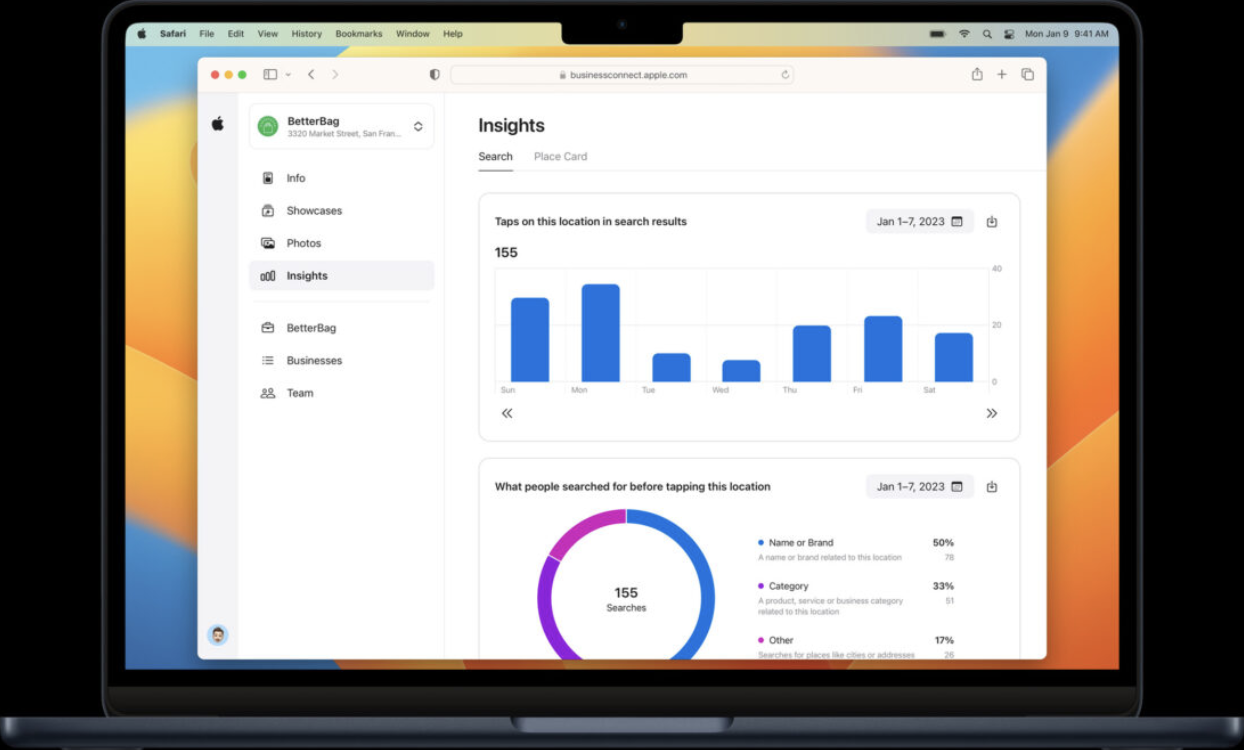
  • One-tap data access. Pulling search impressions, direction requests, and call data without logging into a separate dashboard is a genuine convenience.
  • Built-in business memory. Notebooks remembering your brand and context means less re-explaining every session, which is usually where AI tools fall short for small businesses.

The Cons

  • It’s still a chatbot, not a system of record. Anything proactive (alerts, “recommendations,” nudges) needs to be checked against what you already know about your business. Treat suggestions as a starting point, not gospel.
  • Brand voice will need a human pass. Auto-drafted review responses will need editing before they go out. AI-drafted replies to real customers, unedited, are a fast way to sound generic or say the wrong thing.
  • Data access questions. Connecting your Business Profile means Gemini has access to customer questions and performance data. Worth understanding what Google does with that data before flipping it on.
  • Rollout is inconsistent. This is rolling out gradually and globally over the month, excluding the EEA and UK for now. Features may look different depending on when and where your account gets access.

We Don’t Have Access Yet, and Neither Will You Right Away

Google is rolling this out gradually over the course of the month, not all at once. We don’t have it in our own Gemini accounts yet, so we can’t test-drive it firsthand. If you don’t see it in your app today, that’s expected — it’s not a sign anything’s broken on your end.

A Note on How We’re Treating This

We use AI tools like this one to support our work, not to run it. Gemini connecting to your Business Profile can save time on review drafts and reporting, but it doesn’t replace strategy, judgment, or actually reading what your customers are saying. We’ll keep an eye on it as it rolls out and let you know if it’s worth adding to your workflow once we’ve had a chance to use it ourselves.

Bottom line for small business owners: this is worth watching, not worth rushing. Let it roll out, let early adopters find the rough edges, and we’ll circle back once we’ve actually tested it against real client accounts.

Google’s New Gemini Business Tools: What Small Business Owners Need to Know

The Official End of Call Ads on Google: What It Means for Your Business

Reading Time: 2 minutes

The Official End of Call Ads on Google: What It Means for Your Business

It’s official.

Standalone Call Ads are no longer supported inside Google Ads.

If your strategy has relied heavily on live call-only campaigns, this is a major structural change. And for many local businesses, it directly impacts lead flow.

Let’s break down what’s happening, what you can and cannot do now, and what you should be doing instead.

What Changed?

Previously, businesses could run Call Ads that:

• Only showed on mobile
• Drove users directly to call
• Didn’t require a website visit
• Functioned as a simplified “click-to-call only” format

Google has officially sunset that standalone format.

Instead, everything now runs through Responsive Search Ads (RSAs) with call functionality layered in through call assets.

That means call-driven strategies still exist… but the structure is different.

What You Can Do Now

Inside Responsive Search Ads, you can:

• Add call assets to trigger call extensions
• Optimize for call conversions
• Track call performance through conversion tracking
• Schedule call visibility during business hours
• Run call-focused messaging within headline variations

The key difference?

Calls are now part of a broader ad ecosystem rather than a single-purpose campaign type.

What You Can’t Do Anymore

• Run true “call-only” campaigns as a standalone format
• Avoid website presence entirely
• Rely solely on a stripped-down call ad structure

This forces businesses to think more holistically about their funnel.

And honestly? That’s not a bad thing.

Why This Matters for Local Businesses

Call Ads were popular because they were simple. Especially for:

• Service businesses
• Home services
• Legal
• Medical
• Insurance

But simplicity also meant limitation.

With AI reshaping search behavior and competition increasing, Google is clearly pushing advertisers toward more dynamic, multi-asset ad formats.

Responsive Search Ads allow:

• Multiple headline variations
• Real-time AI optimization
• Better alignment with AI-influenced search
• Stronger quality scores when structured properly

The platform is evolving. Your strategy has to evolve with it.

The Bigger Picture: AI Is Reshaping the Funnel

This update is not random.

Google is consolidating ad formats to align with:

• AI-powered search results
• AI Overviews
• Dynamic query matching
• Automated optimization

Call-only ads were static.

Responsive Search Ads are dynamic.

And in today’s AI-influenced search environment, static loses.

What We’re Advising Business Owners to Do

If you are still relying on old call-only structures, here’s what we recommend:

Transition fully to Responsive Search AdsLayer in strong call assets, Ensure proper call conversion tracking. Review messaging across all headline variations Audit your budget allocation within your funnel

This isn’t just about replacing a campaign type.

It’s about protecting your bottom-of-funnel revenue while strengthening your overall marketing ecosystem.

Watch Our February Webinar for the Full Breakdown

In our February webinar, we walked through:

• The end of Call Ads
• Updated RSA best practices
• Click-to-call strategy inside the new structure
• How to monitor paid call performance
• Where call campaigns now fit in your diversified funnel

If live calls are a major part of your revenue model, this update matters.

And if you haven’t adjusted yet, you’re likely already seeing performance shifts.

👉 Watch the replay and make sure your campaigns are structured correctly.

Final Takeaway

Google isn’t removing calls.

They’re removing outdated simplicity.

If your paid strategy hasn’t evolved in the last 12–18 months, now is the time.

Because in the age of AI search, adaptability isn’t optional. It’s survival.

Google’s EEAT Model: What It Is and How Your Business Can Win With It

Google’s EEAT Model: What It Is and How Your Business Can Win With It

Reading Time: 2 minutes

Google’s EEAT Model: What It Is and How Your Business Can Win With It

If you’ve ever wondered why some businesses show up higher on Google than others, Google has a quality model that plays a huge role in ranking. It’s called EEAT, and it stands for:

Experience
Expertise
Authoritativeness
Trustworthiness

Google uses these categories to decide whether your content deserves to rank. Think of EEAT as your business’s online “reputation scorecard.”

Below is a simple breakdown of what each part means, why it matters, and what you can actually do to improve it.

1. Experience: “Have you actually done this?”

Google wants to see proof that you’ve dealt with real customers, real projects, and real results.

What business owners can do:

  • Share before-and-after photos

  • Post case studies or success stories

  • Write blogs about real jobs you completed

  • Add testimonials from real customers

  • Show behind-the-scenes work or process photos

2. Expertise: “Do you know what you’re talking about?”

This is about the real skill and knowledge your business brings to the table.

What business owners can do:

  • Publish blogs answering common questions

  • Share tips your customers ask you every day

  • Explain how your service works in simple terms

  • Make videos demonstrating your expertise

  • Keep your website content accurate and updated

3. Authoritativeness: “Are other people acknowledging you?”

Authority is basically your online reputation outside your own website.

What business owners can do:

  • Get more high-quality reviews

  • Be listed accurately on directories like Google, Yelp, and industry sites

  • Participate in community events and get mentioned online

  • Get featured on podcasts, articles, or local partnerships

4. Trustworthiness: “Can people rely on you?”

Trust is the foundation of the entire model. If Google doesn’t see you as trustworthy, nothing else matters.

What business owners can do:

  • Keep all business information accurate (name, address, hours, phone)

  • Respond to reviews (both positive and negative)

  • Have a secure website (HTTPS)

  • List clear policies, guarantees, and contact information

  • Show real photos of your business, team, and work

Why EEAT Matters So Much Now

Google’s search updates increasingly prioritize real businesses doing real work.
If your business:
✔ Has real experience
✔ Shows real expertise
✔ Has authority from others
✔ Builds trust online

…you rise.
If not, Google will choose a competitor that does.

EEAT isn’t a one-time task. It’s a long-term reputation strategy.

The Future of Search Is Changing — But Don’t Panic, You’re Already Ahead

The Future of Search Is Changing — But Don’t Panic, You’re Already Ahead

Reading Time: 2 minutes

🌐 The Future of Search Is Changing — But Don’t Panic, You’re Already Ahead

If you’ve been following the tech world lately, you may have seen the big news: OpenAI has officially introduced ChatGPT Atlas, its new search experience. Atlas blends AI and the web in a way that’s changing how people find information online — and how businesses get discovered.

In fact, recent reports from Search Engine Land show that Atlas even mimics human clicks to test which links users are most likely to explore. That means AI tools like ChatGPT are no longer just answering questions — they’re actively shaping what people see when they search.

So what does this mean for your business? Let’s break it down.

🚀 Search Isn’t Just Google Anymore

For years, Google has been the go-to place for search — but that landscape is evolving fast. AI-powered systems like ChatGPT Atlas, Perplexity, and even voice assistants are becoming new “search layers” on top of the web.

Instead of typing a keyword and scrolling through links, users are now asking AI tools for recommendations — “Find me a local roofer,” “Best coffee near me,” “Affordable insurance in Rochester.”

If your business information isn’t accurate and consistent across the web, AI systems can’t confidently recommend you.

🧭 Why You Don’t Need to Stress (If You’re a YPC Customer)

Here’s the good news: if you’re on our Speedlisting or Speedlisting+ program, you’re already set up for this next phase of search.

Our platform ensures your business data is:
✅ Verified and consistent across 100+ directories and platforms
✅ Structured so that AI models and search bots can read it correctly
✅ Continuously updated to reflect changes in algorithms and data sources

That means whether someone searches on Google, Apple Maps, ChatGPT Atlas, or the next AI-powered assistant, your business has a foundation to be found.

💡 The Bigger Takeaway: Visibility Matters More Than Ever

AI-driven discovery is about trustworthy data. The more your information is confirmed across the web, the more likely these new search engines are to recommend you.

So while the tools may change — from Google searches to AI conversations — the principle stays the same:
If you can be found, you can be chosen.

🔍 Our Take

ChatGPT Atlas isn’t replacing Google overnight, but it’s signaling where things are heading. We’re entering an era where AI agents and assistants will surface local businesses based on verified online data, reviews, and authority — not just SEO tricks.

At YPC Media, we’re already building for that future.

If you’re not sure whether your business is optimized for AI search and beyond, reach out to our team. We’ll make sure your listings are working as hard as you are.

Google Is Phasing Out Call-Only Ads: What’s Changing, When, and How to Prepare

Google Is Phasing Out Call-Only Ads: What’s Changing, When, and How to Prepare

Reading Time: 3 minutes

Google Is Phasing Out Call-Only Ads: What’s Changing, When, and How to Prepare

Updated October 2025

Google is retiring Call-Only Ads and moving advertisers to Responsive Search Ads (RSAs) with call extensions. New Call-Only Ads can’t be created after February 2026, and all existing Call-Only Ads will stop serving in February 2027. If you rely on phone calls for leads, now is the time to build (or update) a lightweight landing page, move to RSAs, and tighten your call tracking so you don’t lose visibility into performance.

What’s Happening (and When)

  • February 2026: Google will disable the creation of new Call-Only Ads.
  • February 2027: All existing Call-Only Ads will stop serving. Advertisers must transition to RSAs with a call extension.

Google’s official announcement is here: Google Support – Call Ads changes.

What This Means for Advertisers

Practically, you’ll need to send users to a web page (landing page or site) and present a prominent click-to-call option via your ad’s call extension and on-page buttons. Calls won’t be the only action anymore—users can browse, bounce, or convert via form—so your funnel and tracking need to account for that.

Potential Risks

  • Mandatory landing page: Every location or agent needs at least a baseline site or dedicated landing page to use RSAs.
  • Possible dip in call ratio: Calls are no longer the sole path. Expect some users to click through, skim, and leave. Your on-page call UX must be unmistakable.

Hidden Opportunities

  • Reduced competition (now–Feb 2027): During the wind-down, advertisers who keep compliant Call-Only inventory running could see less auction pressure before the full sunset.
  • Broader device reach: RSAs show on all devices (not just mobile), potentially unlocking older or desktop-first audiences with strong buying power.
  • Better remarketing: Once users land on your page, you can tag them for follow-up (e.g., “Still need an insurance quote? Call 888-888-8888.”).
  • Multi-channel expansion: If you’re building a call-optimized page anyway, it becomes easier to extend into Bing and programmatic without duplicating effort.
  • Website/landing page upsell: The destination URL requirement creates a natural pathway to invest in custom pages that convert.

Tracking & Compliance

To keep cross-device attribution intact (e.g., desktop searchers who pick up their phone to call), implement dynamic call tracking such as Invoca. You can disable call recording if needed for privacy, while still tracking call volume and duration. This helps preserve reporting continuity as formats shift.

Landing Page Requirements (the Essentials)

  • Above-the-fold call action: A tappable phone number and a high-contrast “Call Now” button should be immediately visible on mobile and desktop.
  • Fast, lightweight build: Aim for sub-2s mobile load. Compress images, lazy-load below-the-fold assets, and keep layout simple.
  • Backup form: Offer a short form for users who prefer not to call. Only include fields your team can follow up on quickly.
  • Trust elements: Add badges, reviews, and clear service areas to reduce hesitation and encourage the call.
  • Tracking tags: Install Google/GA4, ad platform tags, and call tracking snippets before launch.

Who’s Most Impacted?

We expect the biggest operational impact for insurance advertisers that heavily relied on Call-Only formats (e.g., individual agency/agent campaigns that never needed a destination URL). For other industries (e.g., service providers already using RSAs + call extensions), the transition is typically simpler.

Quick FAQ

Do I have to build a full website?
Not necessarily. A fast, single-purpose landing page per location can be enough if it clearly drives calls and captures leads for non-callers.

Will my call volume drop?
Some advertisers see a lower call ratio initially because users now have more options. Strong on-page call UX and clear value props help offset this.

What about compliance and recording?
You can track calls without recording audio. Configure call tracking to align with your privacy and regulatory requirements.

Need Help Transitioning?

If you rely on phone calls for revenue, don’t wait. We can build a conversion-ready landing page, migrate your campaigns to RSAs with call extensions, and implement accurate call tracking—so you keep phones ringing while gaining better data.